> For the complete documentation index, see [llms.txt](https://docs.codemash.io/llms.txt). Markdown versions of documentation pages are available by appending `.md` to page URLs; this page is available as [Markdown](https://docs.codemash.io/norbix-cloud/notifications/push.md).
# Push
Send personal or bulk push notifications to your clients. Schedule them, plan to send by client time zone, and have different languages over each message you deliver.
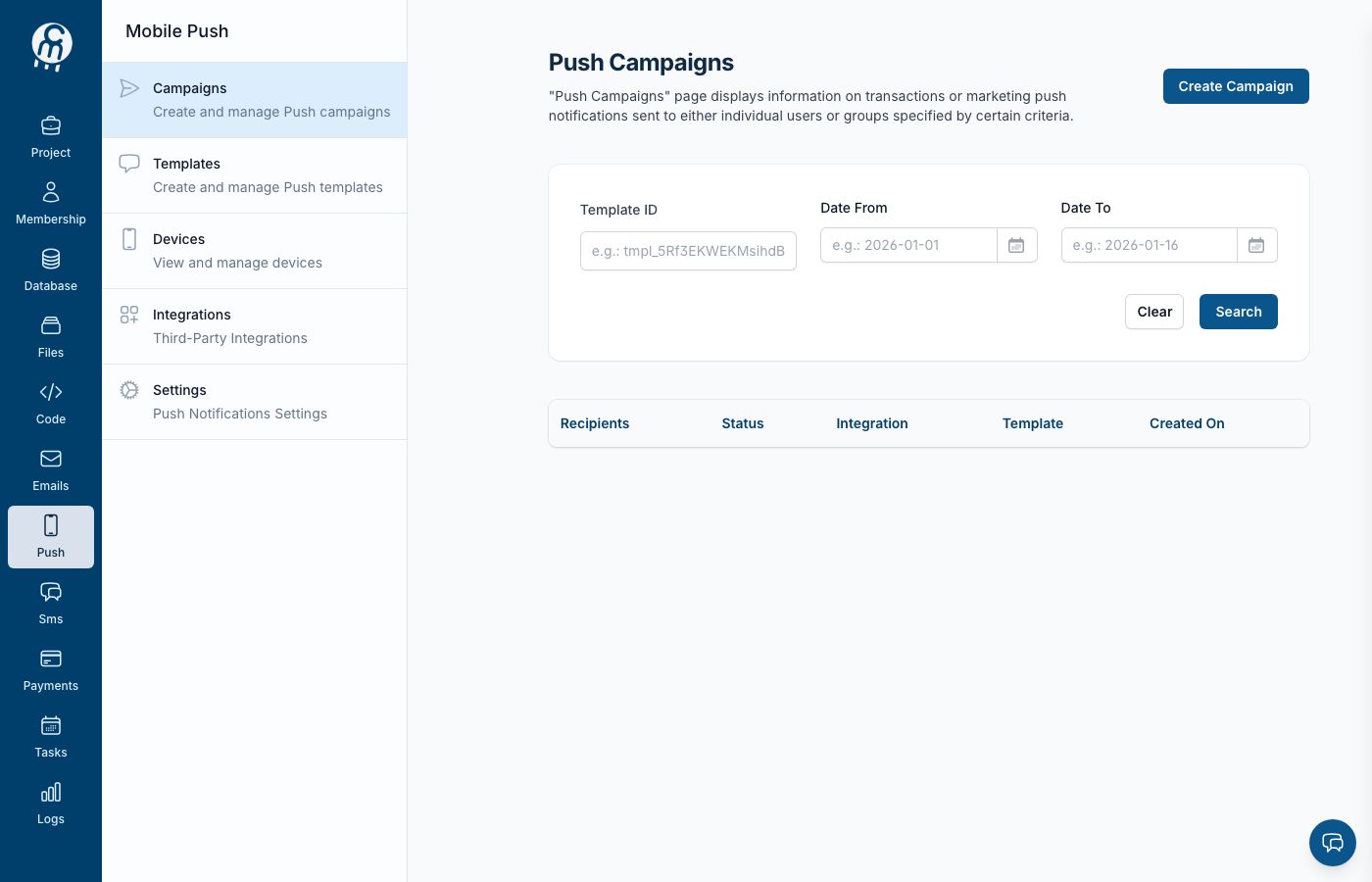
The Push channel home — device registrations, templates, and campaigns.
Norbix **Push Notifications** service allows you to push mobile notifications to your users. All notifications queuing and management is accessible through the dashboard. Using API methods you can register devices, push messages, and more.
To start using the push notifications service and it's API methods, you firstly need to enable push notifications service in your Norbix dashboard.
## Using SDK
If you decide to use one of our provided SDK, the following code shows how to initialize the notifications service.
{% tabs %}
{% tab title=".NET" %}
```csharp
var projectId = Guid.Parse("{YOUR_PROJECT_ID}");
var apiKey = "{YOUR_SECRET_KEY}";
var client = new NorbixClient(apiKey, projectId);
var pushService = new NorbixPushService(client);
```
{% endtab %}
{% tab title="Node" %}
```
```
{% endtab %}
{% tab title="PHP" %}
```php
use Norbix\NorbixClient;
use Norbix\NorbixPushNotification;
class NorbixService
{
protected NorbixPushNotification $norbixPushNotification;
public function __construct()
{
$secretKey = '{YOUR_SECRET_KEY}';
$projectId = '{YOUR_PROJECT_ID}';
$client = new NorbixClient($secretKey, $projectId);
$norbixPushNotification = new NorbixPushNotification($client);
}
}
```
{% endtab %}
{% endtabs %}
## Example
The following are examples of push notifications SDK using different languages and frameworks.
{% tabs %}
{% tab title=".NET" %}
```csharp
using System;
using Norbix.Client;
using Norbix.Notifications.Push.Services;
using Isidos.Norbix.ServiceContracts;
namespace ConsoleApplication
{
class Program
{
static void Main(string[] args)
{
// 1. Get your Project ID and Secret Key
var projectId = Guid.Parse("{YOUR_PROJECT_ID}");
var apiKey = "{YOUR_SECRET_KEY}";
// 2. Create a general client for API calls
var client = new NorbixClient(apiKey, projectId);
// 3. Create a service object
var pushService = new NorbixPushService(client);
// 4. Call an API method
var response = pushService.SendPushNotification(
new SendPushNotificationRequest
{
TemplateId = Guid.Parse("{TEMPLATE_ID}"),
Users = new List { Guid.Parse("{USER_ID}") }
}
);
}
}
}
```
{% endtab %}
{% tab title="Node" %}
```
```
{% endtab %}
{% tab title="PHP" %}
```php
use Norbix\NorbixClient;
use Norbix\NorbixPushNotification;
class NorbixService
{
protected NorbixPushNotification $norbixPushNotification;
public function __construct()
{
$secretKey = '{YOUR_SECRET_KEY}';
$projectId = '{YOUR_PROJECT_ID}';
$client = new NorbixClient($secretKey, $projectId);
$norbixPushNotification = new NorbixPushNotification($client);
}
public function sendPushNotification()
{
$responseData = $this->norbixPushNotification->sendNotification([
'templateId' => '{TEMPLATE_ID}',
'users' => [
'{USER_ID}',
'{USER_ID}',
'{USER_ID}',
],
]);
}
}
```
{% endtab %}
{% endtabs %}
## Working with Push Service
The following links explore the usage of push notifications service:
{% content-ref url="/pages/-LwUEOAidMgoReQIYUzB" %}
[Push Notifications API](/norbix-cloud/notifications/push/notifications.md)
{% endcontent-ref %}
***
## Use it from code
Everything you can do on this screen is also available programmatically — same module, same permissions, same audit trail.
| Channel | Where to go |
| ------------ | ------------------------------------------------------------------------------------------------------------------------------------------------------------------------------------------------------------------------------------------------------------------------------------------------------------------------------------------------------------------------------------------------------------------------------------------------------------------------------------------------------------------------------------------------------------------------------------------------------------------------------------------------------------------------------------------------ |
| **SDKs** | [JavaScript / TypeScript](https://github.com/Isidos-co/codemash-docs/tree/main/sdk/javascript-typescript.md) · [Python](https://github.com/Isidos-co/codemash-docs/tree/main/sdk/python.md) · [.NET](https://github.com/Isidos-co/codemash-docs/tree/main/sdk/net.md) · [Go](https://github.com/Isidos-co/codemash-docs/tree/main/sdk/go-lang.md) · [Dart / Flutter](https://github.com/Isidos-co/codemash-docs/tree/main/sdk/flutter.md) · [Swift](https://github.com/Isidos-co/codemash-docs/tree/main/sdk/swift.md) · [Kotlin](https://github.com/Isidos-co/codemash-docs/tree/main/sdk/kotlin.md) · [React / Redux](https://github.com/Isidos-co/codemash-docs/tree/main/sdk/react-redux.md) |
| **REST API** | [Push Notifications API](/norbix-cloud/notifications/push/notifications.md) · [Push Templates API](/norbix-cloud/notifications/push/push-templates-api.md) · [Devices API](/norbix-cloud/notifications/push/devices-api.md) |
| **AI / MCP** | Work with this module from Claude, Cursor, or any AI tool — see [MCP Server](/ai/mcp-server.md) |